Drop in a PDF, pick a level, download a smaller file. A 10 MB scan usually comes back under 1 MB. Nothing is uploaded: the file is compressed in this browser tab.
How to compress a PDF
Drop your PDF into the box above, or click "Select from device".
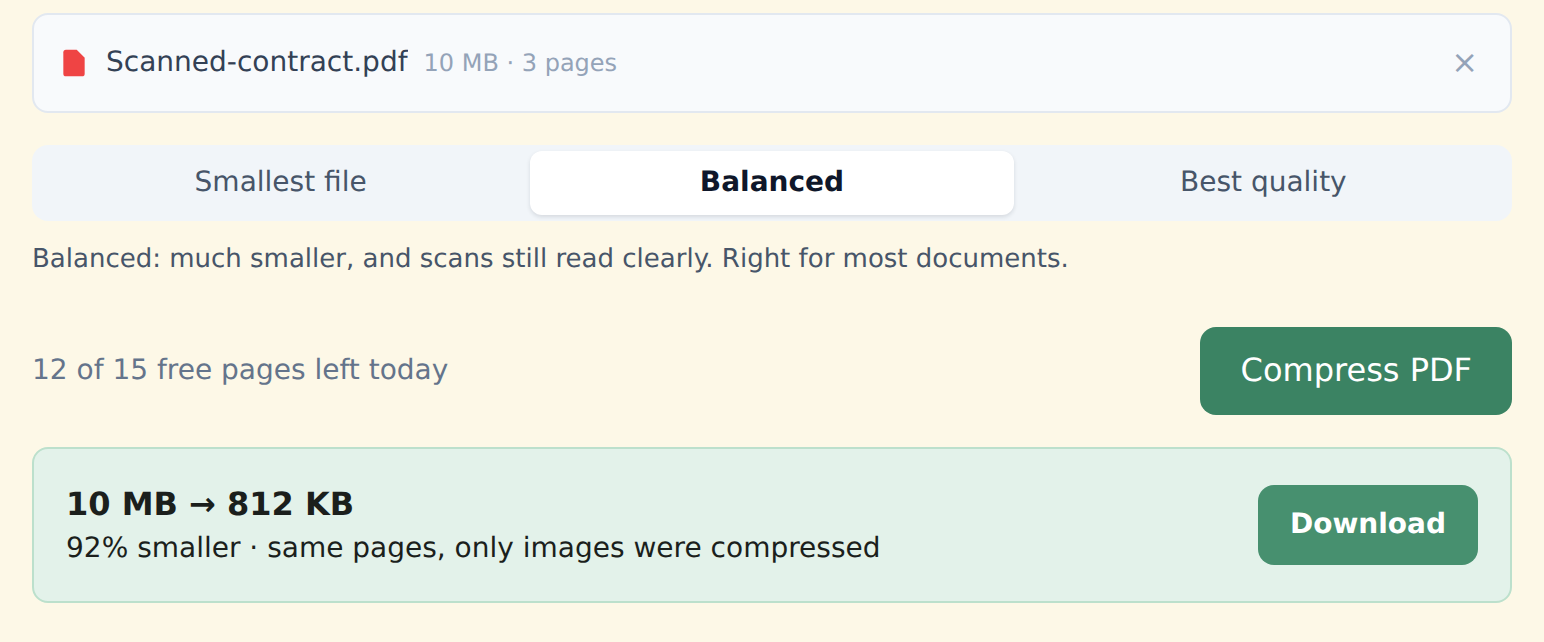
Choose a level — Smallest file, Balanced or Best quality. Balanced is right for most documents.
Click "Compress PDF". You'll see the size before and after, then download the smaller copy.
Which level to choose
- Smallest file — for strict limits like email attachments or a court or tax portal that caps uploads. Photos look softer; text in scans stays readable.
- Balanced — much smaller, and scans still look clean. The right choice most of the time.
- Best quality — a lighter squeeze for photos, drawings and anything you'll print.
What gets smaller — and what doesn't
Almost all of a PDF's weight is images: scanned pages, photos, logos. StayPutPDF re-saves those at a sensible resolution and drops data nothing uses. Text, fonts and links are left exactly as they are, so typed text stays sharp and searchable.
A PDF exported from Word with no pictures is already small. If there's nothing to gain, the tool tells you instead of handing back the same file.
Upload your whole document to a server, shrink it there and send it back — a copy of your file sits on someone else's machine.
Compresses inside your browser. Your document never leaves your device — the safe way to shrink a contract, a medical record or a bank statement.
Free and Premium
15 pages a day
- Every tool except OCR — merge, split, compress, redact, sign, edit, convert
- No watermark, no account, no email
- Counted across all tools; the count resets every day
$5/month
- No page limit on any tool
- OCR: make scanned PDFs searchable, 39 languages
- Your signature saved on this device (never uploaded), and your signature or initials on every page in one click
- One-click form filling with your saved details — name, address, email
- Or $39/year · $79 once, for life
Free or Premium, the tools work the same way: your files never leave your device.